WoW Open Box (Open Source World of Warcraft Multiboxing)

Open Source World of Warcraft rules compliant multiboxing.
Wow Open Box (Open Source, compliant, Multiboxing)
Welcome to WowOpenBox.org the hub for truly Open Source and Blizzard rules compliant World of Warcraft MultiBoxing/Dual-Boxing!
July 2025 Update: The Round Robin capability has been entirely removed in an effort to ensure full compliance with Blizzard’s multiboxing policy.
We started this effort Mid November 2020 and already have dozens of ever improving feature-full releases and many happy users.
Join the conversation through GitHub, make or help prioritize issues, PRs, or on our 
The first of many functional release was on November 22nd 2020!
Participate and let’s make this the best tool for multiboxing (in addition to being the only Open Source one).
See also a comparison of WowOpenBox and other multiboxing solutions.
See also the help page.
WowOpenBox (WOB) is optimized to be the safest and best solution for Blizzard’s World of Warcraft but can also be use to manage multiple windows of other applications or games).
If your game or application allows Broadcasting, switch over to OMB (OpenMultiboxing).
Main features
- Dark mode (WOB2027 v4.14.0+): Option menu > Appearance: same as Windows (the default, follows it when you change it), light or dark. See the help.
- Window Layout wizard and manual tweaking; get your game windows exactly how you want them to be to play.
- Save different layouts as profiles (File > New Profile…) and cycle through them with the Ctrl-Shift-L (next) and Ctrl-Shift-Alt-L (previous) hotkeys. Pick which profiles are in the rotation with Profile > “Profiles in rotation…” (all but Default by default).
- Instant swapping of windows; with keyboard hotkeys for fast switching to the next or any specific window.
- Change any hotkey in File > “Hotkeys…”: click it and press the new key combination (right click clears it, Undo goes back).
- Mirrors (WOB2027 v4.11.0+): live, zoomable copies of an area of any game window (e.g. a bigger minimap, or the portraits of the small windows), anywhere on screen. File > “Mirrors…”: “Add a mirror”, click a window, drag the area; then drag to move, drag the sides to extend/shrink the area, mouse wheel to zoom, right click for options. Mirrors stay on their window as it gets swapped (or follow whichever window is main) and let mouse clicks through outside of edit mode. Clicking a mirror, or entering it with focus follows mouse, focuses its source window (right click option), and mirrors can be see-through (right click > Opacity) (v4.15.0+). See the help.
- Mirrored layout: check “Mirrored” in Window Layout to stack all the game windows under the main one and show the other positions as live mirrors of them: instant swaps (no resizing), click a mirror to make that window main. See the help.
- Many additional options to switch which window your keys are going to:
- Focus follow mouse: turns on/off the Windows™ accessibility feature so you just hover a window to make it receive keys (instantly: WOB sets the hover delay to 0 ms, below the 100 ms minimum of the Windows slider)
- Focus next/previous/specific windows with hotkeys.
- Free, OpenSource and the Safest option available: WOB respects Blizzard’s new directive to not do any software input broadcasting. Multiboxing legitimately with peace of mind.
- Online help, menus and tooltips on most UI element to help discovering features.
Need a great addon to help your WoW multiboxing?
We also wrote MAMA for you!
Installation
WowOpenBox is optimized for Microsoft Windows 10.
Easiest: get it from the Microsoft Store, which installs and updates it for you (no Windows warning on first run):

The Store version keeps its settings and profiles in Documents\WowOpenBox (copy your wowopenboxSettings*.tcl files there to bring yours). It also puts there the launchwow*.bat files, to start several WoW windows at once without Battle.net, and LaunchWoW.txt which explains them.
Or the zip: since release 2.2, WOB/OMB is entirely built automatically from source by GitHub actions CI (continuous integration).
Simply download the all in one zip (WOB2027-vX.Y.Z.zip, not the source zip) from the latest release at: https://github.com/WowOpenBox/WowOpenBox/releases and extract it all to your desktop for instance.
Run the WOB2027 exe and enjoy!
Coming from an older version: extract the new zip in the same folder (or copy your wowopenboxSettings*.tcl files next to the new exe) to keep your settings and profiles. v4.14.0 and newer need their new exe: auto update alone isn’t enough, an older exe tells you so and keeps running your current version.
(Please report any problem!)
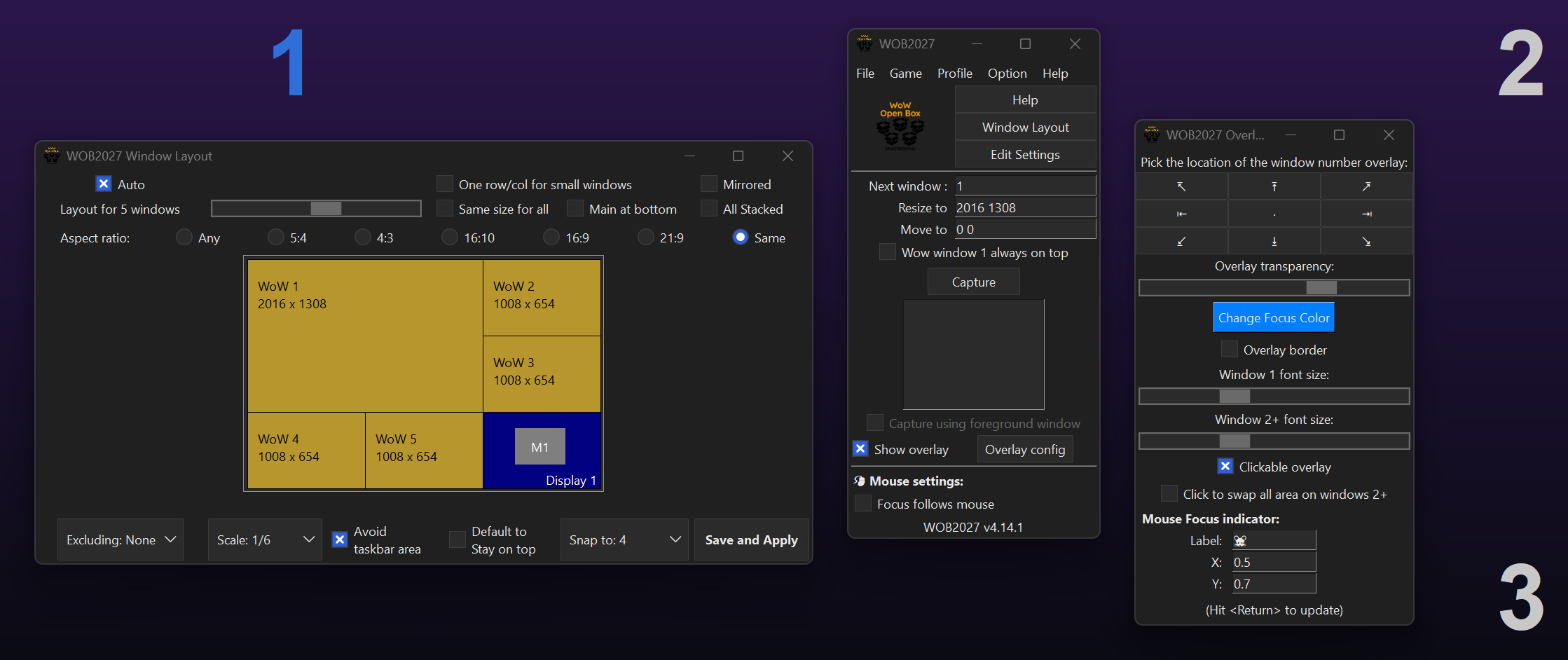
Window Layout wizard:
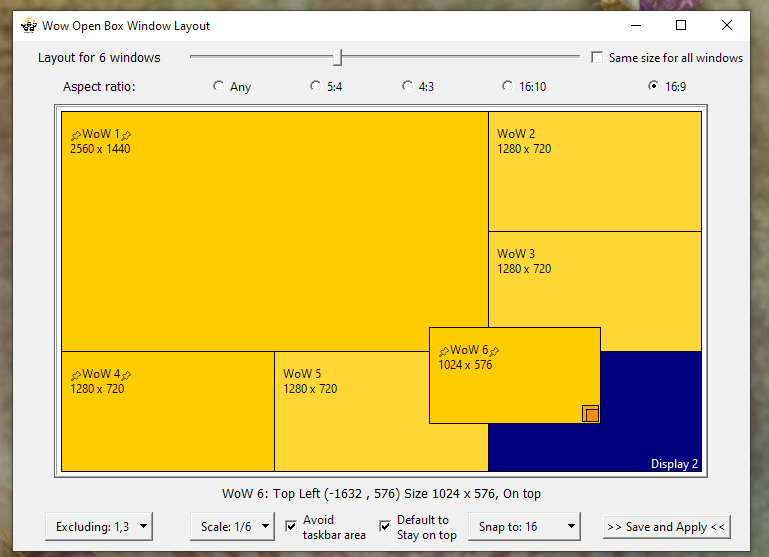
Optional/toggle-able overlay information indicating which window has focus:
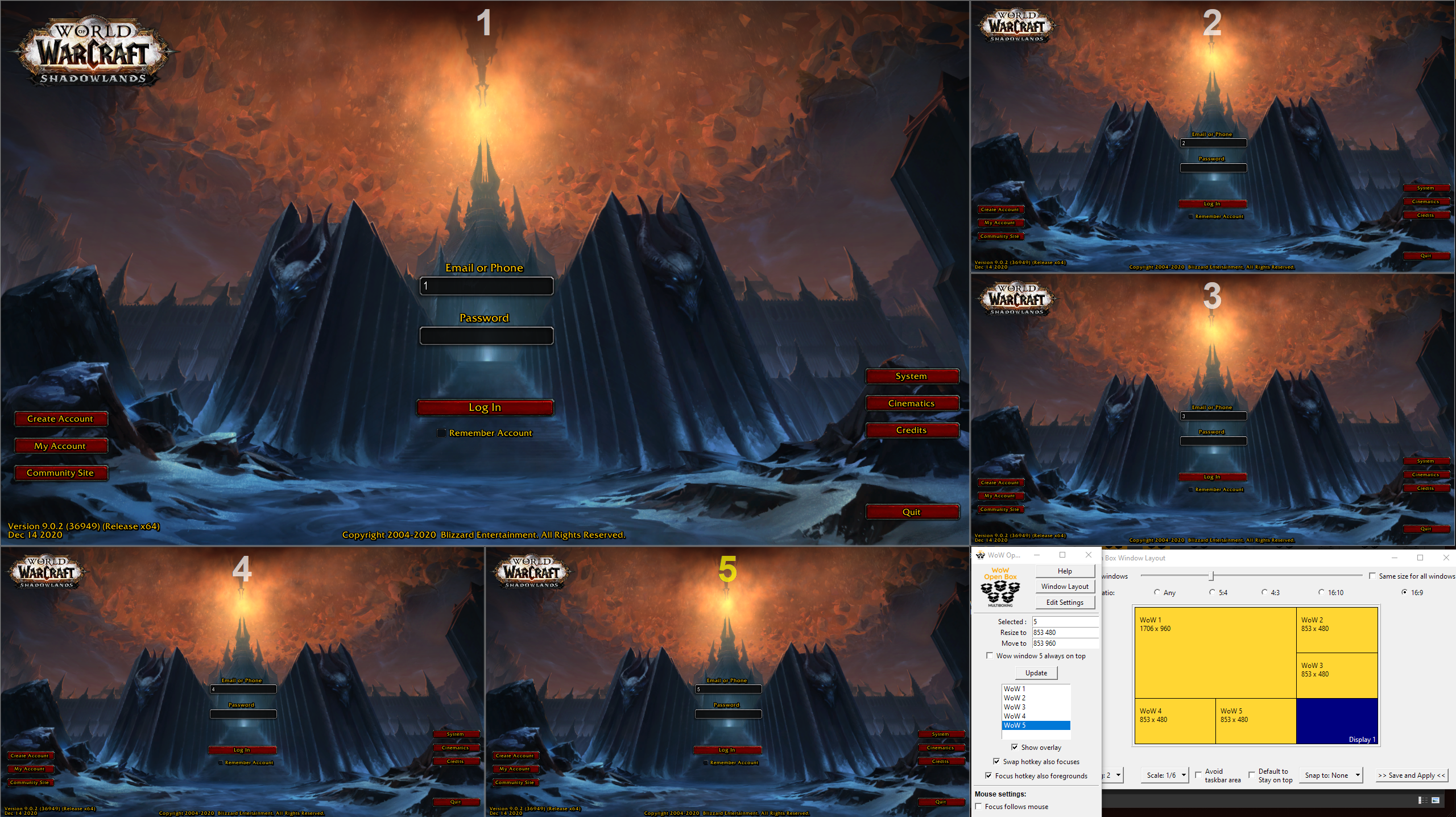
Intro video (best viewed as recorded, at least 1440p)